






Technical files
Documents
Specifications and installation information can be viewed or downloaded as PDFs from our server.
Technical documents
1User manuals
1Videos
Installation and support guides
These videos demonstrate the model and control board shown. They may provide general reference for other products; use the current technical manual for the relevant model for connections and settings.
G24 / G24A control board 6 videos
Board overview and safety/access accessories used in different applications.
The board family serves different motors; operating mode and terminal connections require separate verification.
Turkish video archive from the Alkur YouTube channel; titles and topic notes are translated.
Related product guide
An overview of the G24A control board, its connection points and adjustment controls.
- 5:14 Watch on YouTube
An overview of the G24A control board, its connection points and adjustment controls.
- 1:41 Watch on YouTube
A technical demonstration of connecting a safety photocell to the G24 control board.
- 0:24 Watch on YouTube
A short guide to connecting a warning flasher to the G24 control board.
- 1:07 Watch on YouTube
A demonstration of connecting an external remote-control receiver to the G24 control board.
- 0:48 Watch on YouTube
A demonstration of pairing a Fix Code remote control and clearing stored remote-control entries.
- 1:01 Watch on YouTube
An example of connecting a vehicle-detection loop detector to the G24 control board.
Model and documented functions
Page 2 of the GATE 24/G24 technical PDF lists 230 VAC board input and 24 VDC motor output. It names sliding, swing, barrier and sectional application categories. Those categories do not establish automatic compatibility with every motor.
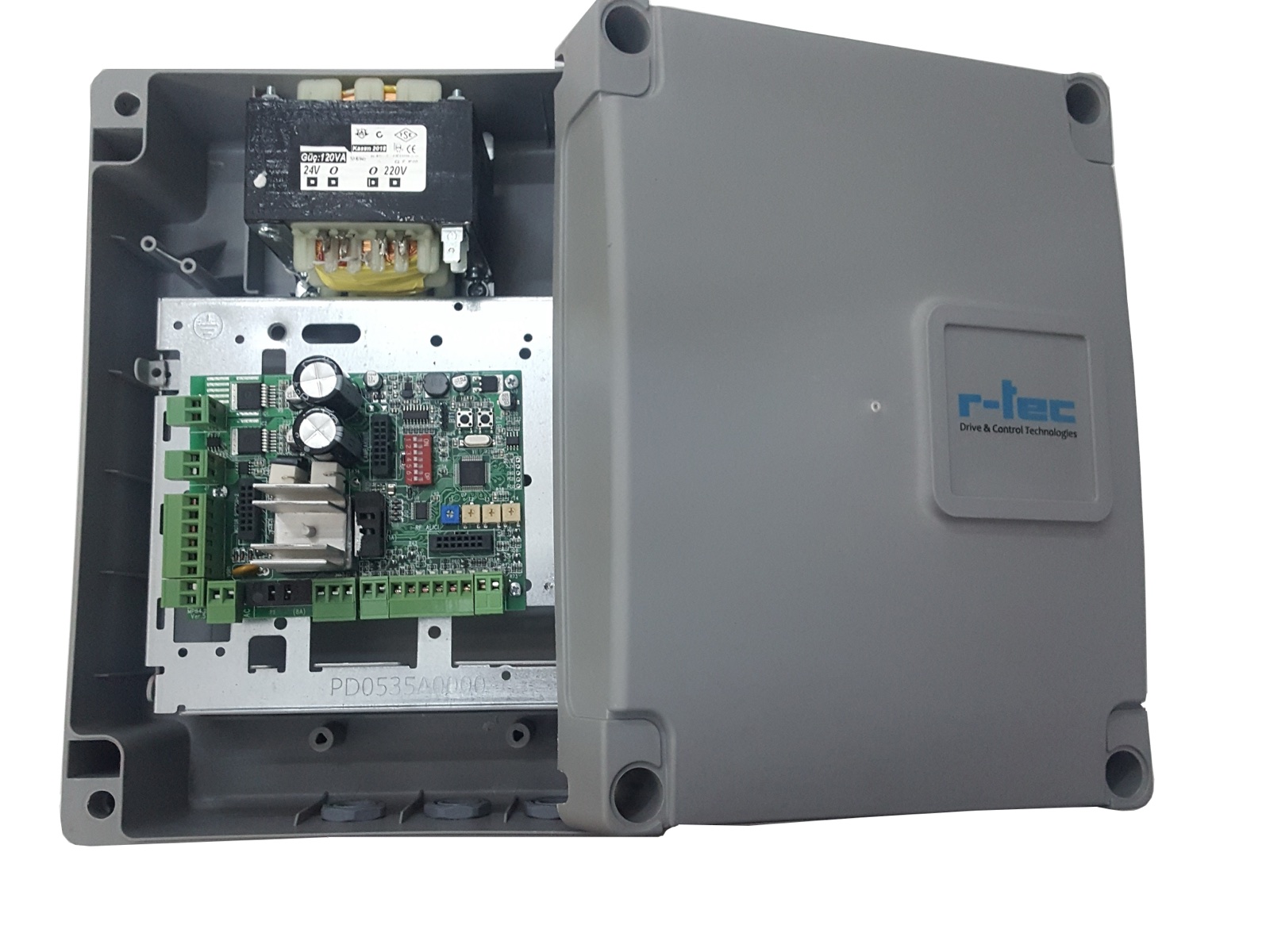
Voltage conflict
A page 6 sliding-mode installation step says to connect 220 V cables to the motor, contradicting the 24 VDC motor output on page 2. Page 7 separately describes 220 V cables to the board in swing mode. A confirmed revision distinguishing mains and motor circuits is required; this public page gives no wiring or DIP procedure.
Project selection
The manual describes BT1/BT2 buttons, the D4 LED and mode-specific DIP/trimpot controls. Authorised personnel must use the correct board edition with the exact motor and safety diagrams for installation or fault diagnosis. A Desktop folder labelled G24A 2024 has a cover saying only GATE24, so it is not declared equivalent to this product.
Frequently Asked Questions
Below we've compiled the most common questions and answers regarding this product.
-
What motor-output voltage does the G24 document specify?
The technical PDF page 2 gives 24 VDC motor output, but the sliding-mode instruction on page 6 says to connect 220 V cables to the motor. Do not apply that conflicting instruction until the exact board revision is confirmed by authorised personnel.
-
Should motor power be increased if the door moves only briefly?
The PDF alone does not establish a single cause. Authorised service should inspect the motor, mechanics, safety inputs and controller against the approved instructions for the exact installation.
Contact our team for model-specific information or a quote.